Below are the setup instructions on how to set up the SessionTalk Softphone.
Instruction for Setup:
Step 1 - Download the SessionTalk App from the Apple App Store using the link below:
https://apps.apple.com/nz/app/sessiontalk-sip-softphone/id362501443
Step 2 - Start the App once downloaded and accept any requests to access your iPhone device on start-up. Then you will see the 'Create Account' page. You should click on the first option "Generic SIP"
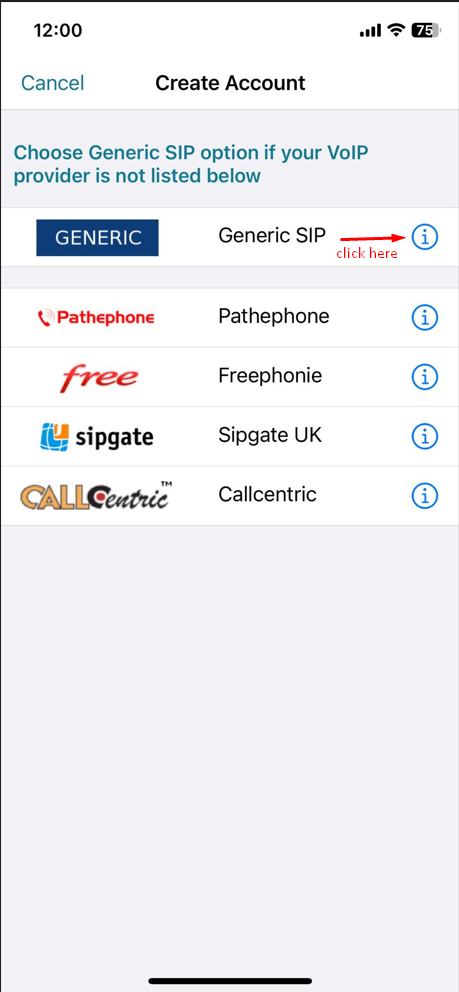
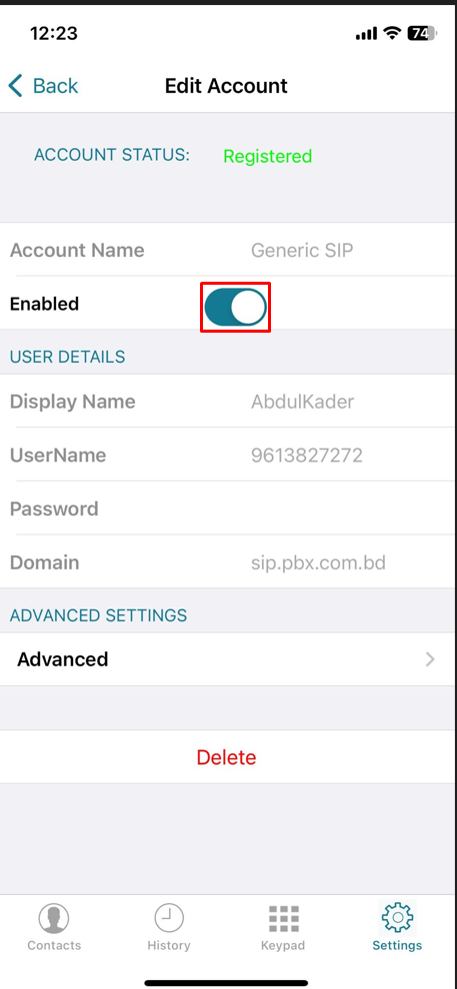
Step 3 - In the Account Screen enter the following details:
Display Name: <your name>
Username: <your phone number> (for example 9613XXXXXX)
Password: <your password>
Domain: sip.pbx.com.bd
Step 4 - Druk op Enabled en wacht totdat Account Status op groen staat.
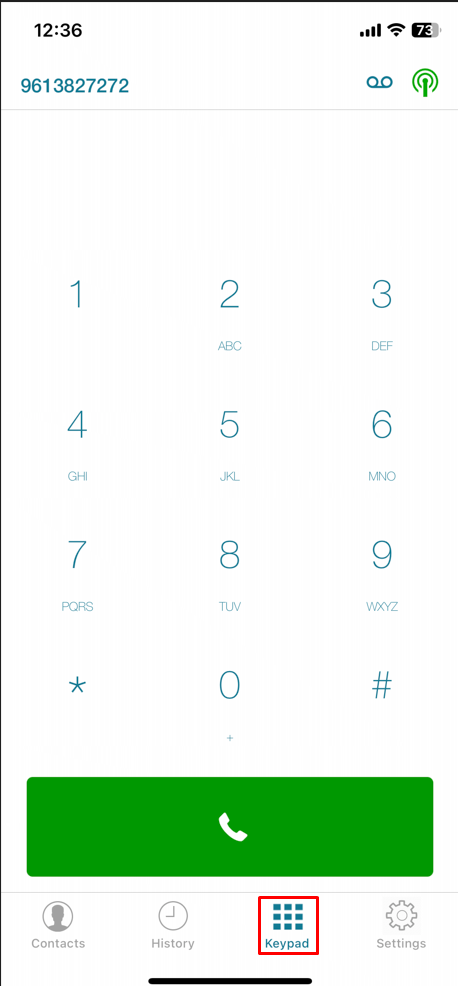
Step 5- You are now done setting up SessionTalk Softphone on your iPhone. Press the keypad button at the bottom to start calling
Note: The application is free and works only in minimized mode, which imposes many restrictions on receiving incoming calls if you suddenly close the application.
Congratulations !! Now you know how to Only IP Number Setup for iPhone.